Enve-Nope
From stack to spreadsheet.
Photograph your church's offering envelopes with a phone. Get a checked list of date, envelope number and amount, weekly totals that match the deposit slip, and year-end giving statements for every donor.
Lay it down. It snaps itself.
- Pick the SundayEvery envelope in the stack is filed under it.
- Lay each envelope downThe phone photographs it by itself when it holds still. Or read the stack aloud.
- Check the few it flagsOne envelope per screen, with the photo. Swipe right to confirm.
- Match the depositThe Sunday's total sits next to your deposit slip total, and the spreadsheet is ready.
It never guesses an amount.
Claude reads every amount twice: once on the whole envelope, once zoomed in on the handwriting. Small raised cents can look like extra digits:
When the two readings disagree, the amount is left blank and a person picks. Unknown envelope numbers, $1,000 or more, crossed-out digits and the same envelope twice are all set aside too.
Every screen, from a made-up church
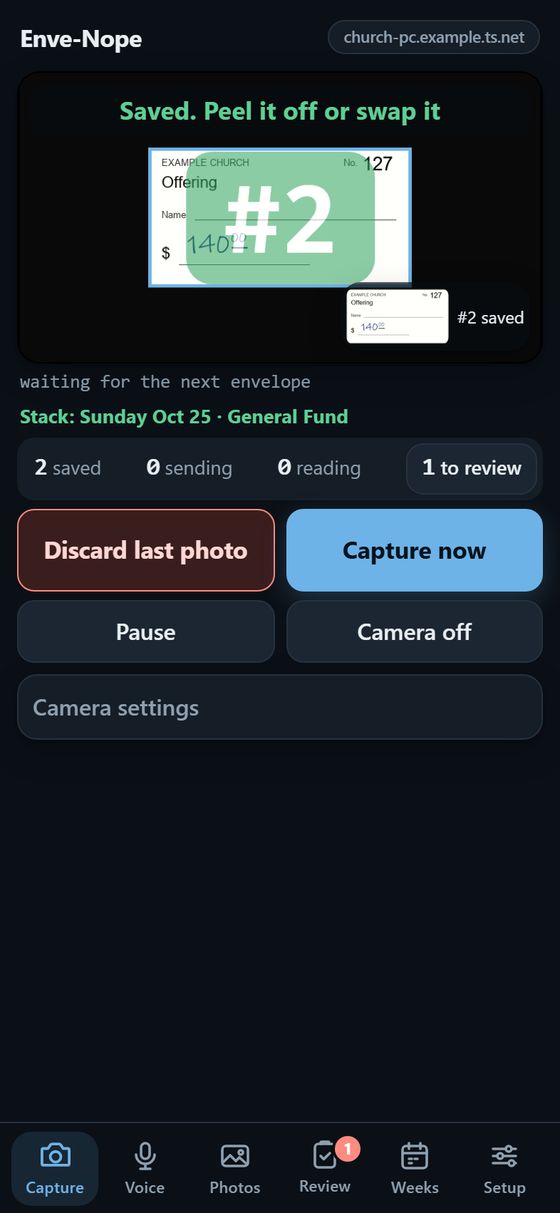
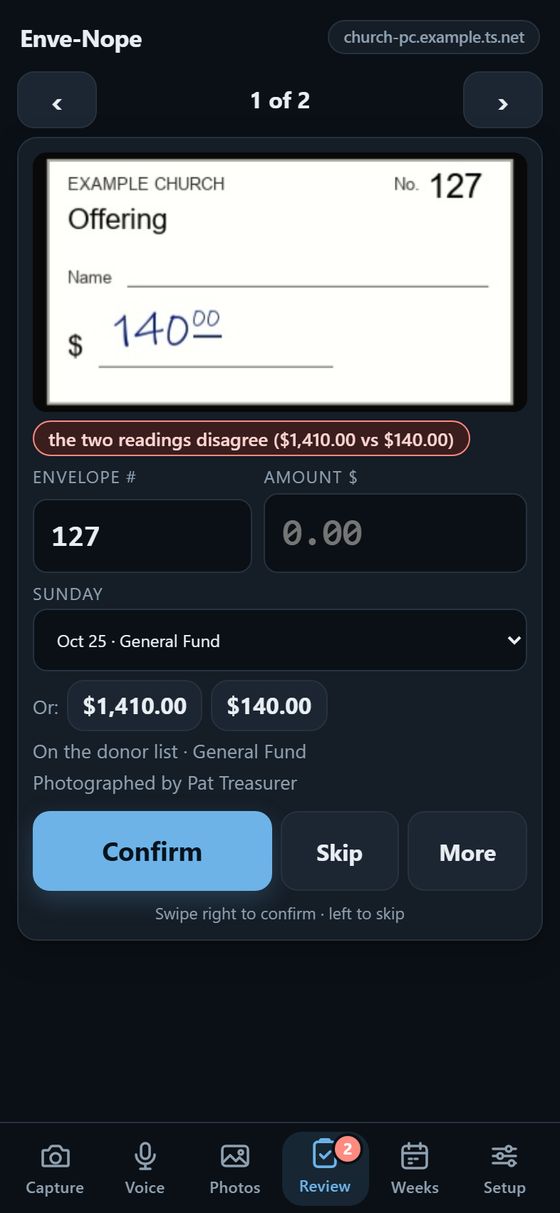
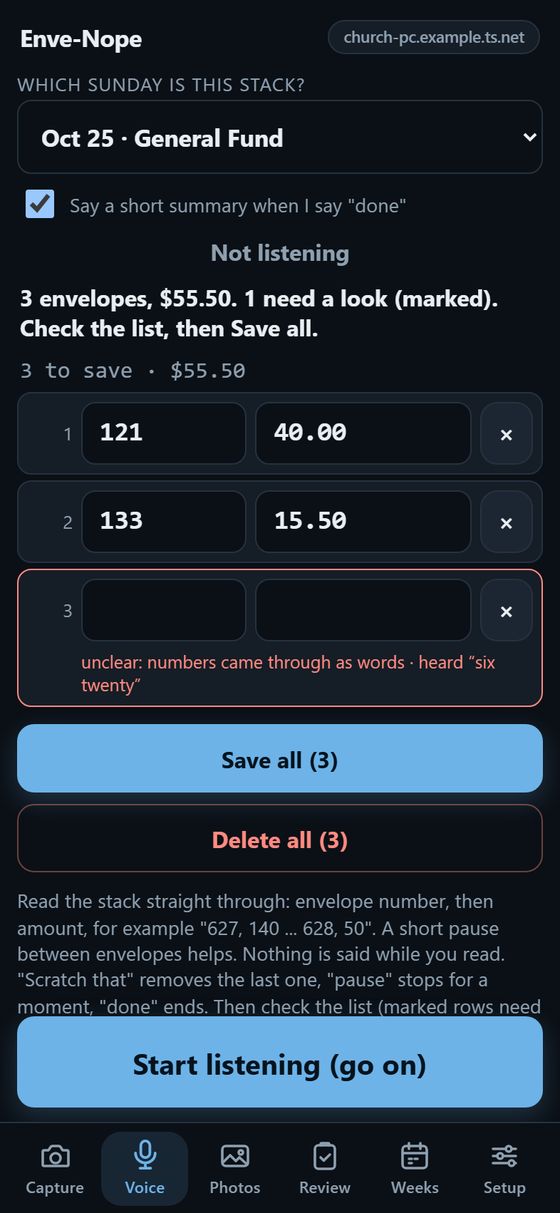
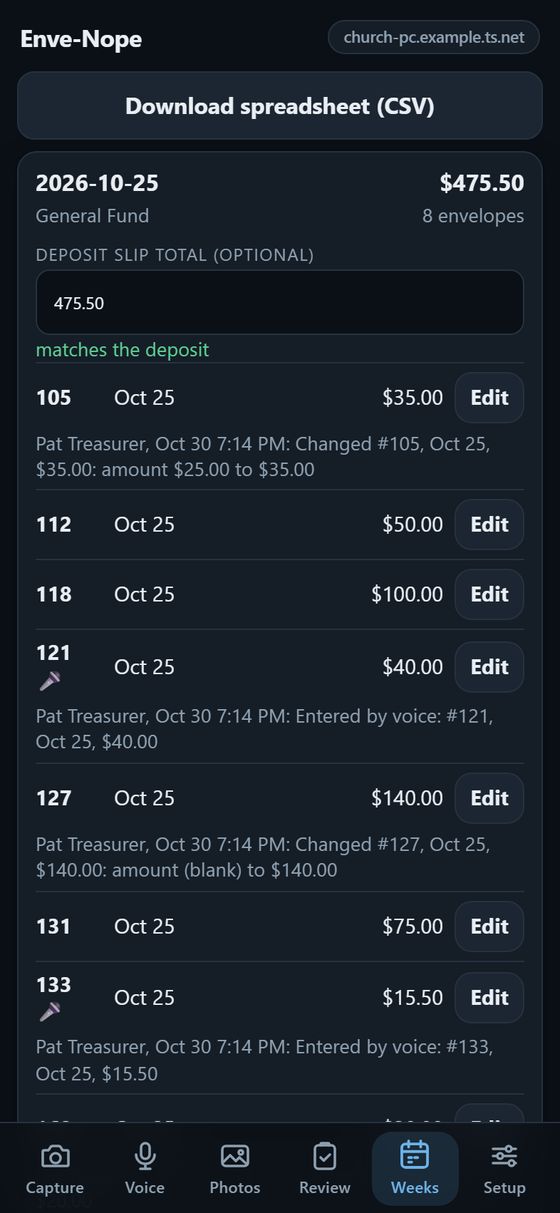
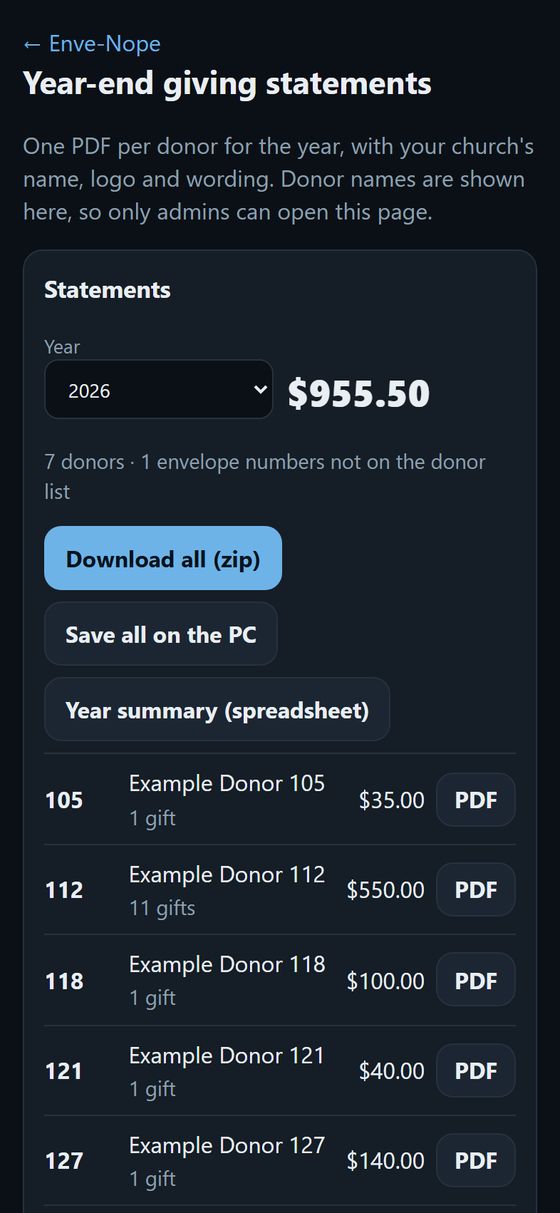
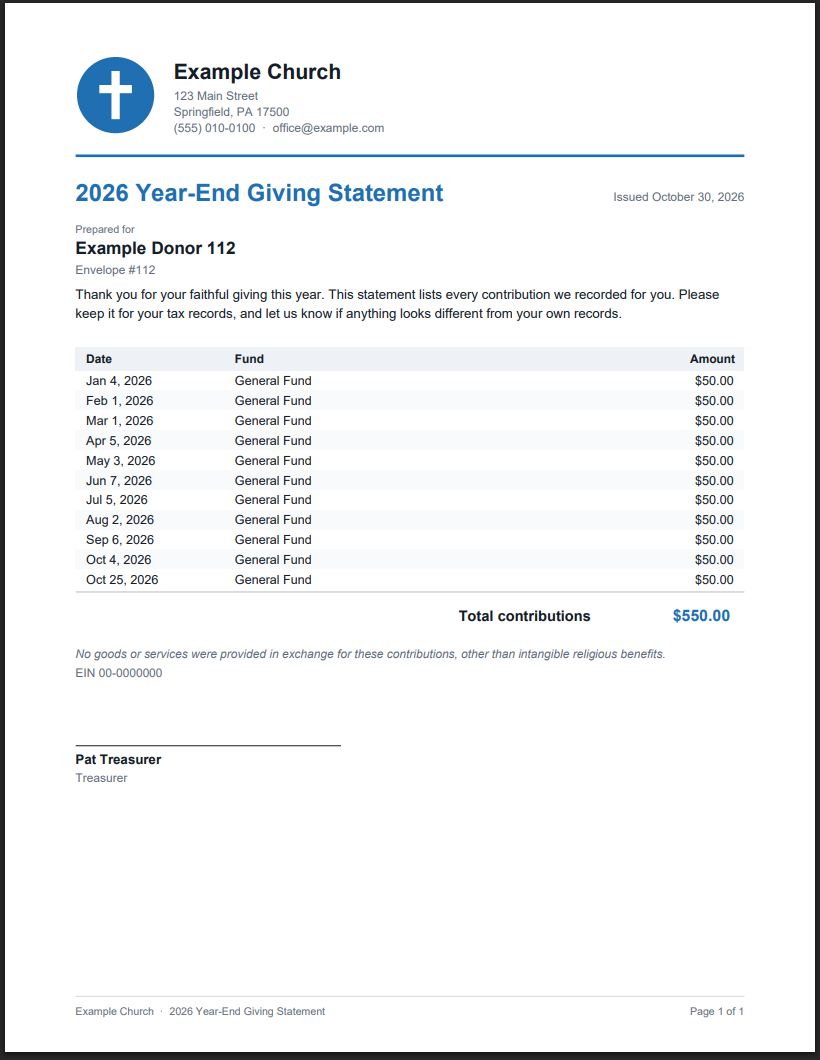
Year-end giving statements for every donor
- One PDF per donor: every gift with its date, fund and amount, totals by fund, and the year's total.
- Your church's name, address, logo, colour, thank-you message, tax wording and signer.
- Download them all at once, or one at a time, plus a year summary spreadsheet for the treasurer.
- Warns you if envelopes of that year still need review, so nothing is left off by accident.
Donor names stay on your PC
- Everything is kept on the church's own Windows PC. Phones connect to it privately through Tailscale (free), from anywhere.
- Phones see envelope numbers only. Names appear only on the year-end statements, which only admins can open.
- Helpers can be set to enter envelopes only: capture, voice, photos and review, with no totals, statements or settings.
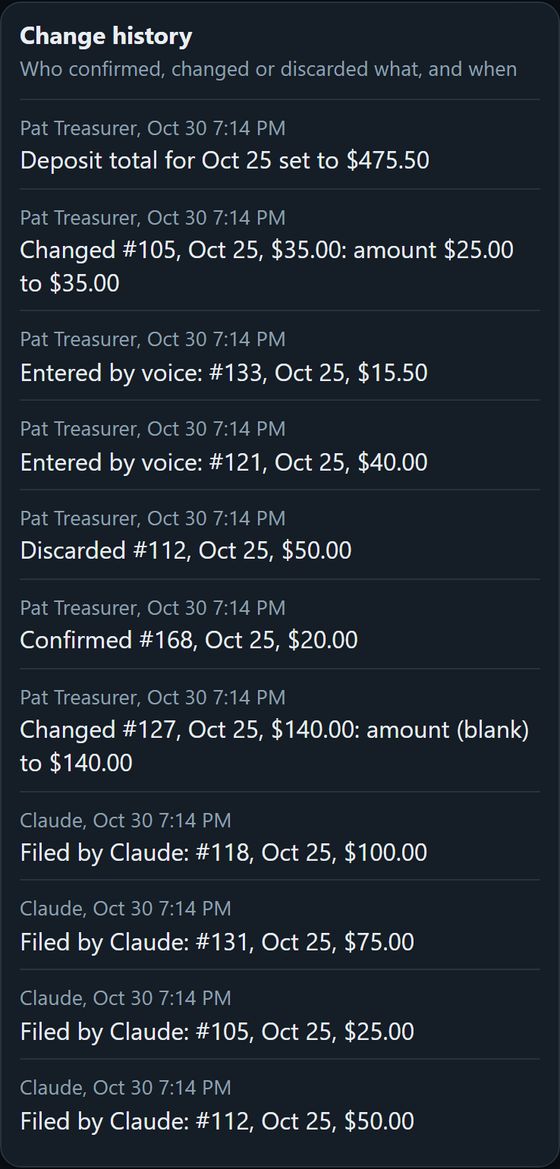
- Every confirmation and correction is recorded with who made it. Nothing is ever deleted.
About 9½ hours saved a year, plus January
An estimate for 1,500 envelopes a year: about 30 seconds each to type and check by hand, about 5 seconds with Enve-Nope plus a look at the few it asks about. Year-end statements take minutes instead of an evening of mail merge.
Get it for your church
Enve-Nope
- Photos or voice to a checked spreadsheet
- The full program and its source code, yours forever
- 5 updates included, then $20 each
- Year-end statements can be added later for $200
- Non-commercial license
With year-end statements
- Everything in Enve-Nope
- One PDF statement per donor, in your church's branding
- 5 updates included, then $20 each
- $50 less than upgrading later ($149 + $200)
- Non-commercial license
Vibe-coded. No support. Enve-Nope was made with AI. Nobody will help you install it, answer questions or fix things for you: the guides below are the only help. Read them first.
Reading the envelopes uses your own Claude account from Anthropic: about 2¢ an envelope, or about 1¢ with the half-price option, paid to Anthropic directly. You will tick the same box again when you activate your copy.
Already have Enve-Nope?
Adds statements to a copy bought without them.Buy upgrade
Only for a paid update, once your 5 included ones are used. Most updates are free.Buy update
What you need
- A Windows 10 or 11 PC that stays on while envelopes are entered.
- An Android phone or iPhone for each person who enters envelopes.
- A Claude account from Anthropic with a few dollars of credit (console.anthropic.com).
- About 15 minutes for the setup page, then 5 minutes per phone.